
Download TubeMate APK – YouTube alternative, video downloader, free video utility, Android video tool, offline video app
Overview
TubeMate APK is a free video utility tool developed by Devian Studio, designed to help Android users download videos directly from YouTube and other platforms. It serves as a practical alternative for individuals seeking offline access to video content without relying on constant internet connectivity. The software is particularly useful in regions with limited or unreliable internet access, where mobile data usage and battery drain from streaming are significant concerns. By enabling users to save videos locally, TubeMate reduces data consumption and supports uninterrupted playback, even in airplane mode or remote locations.
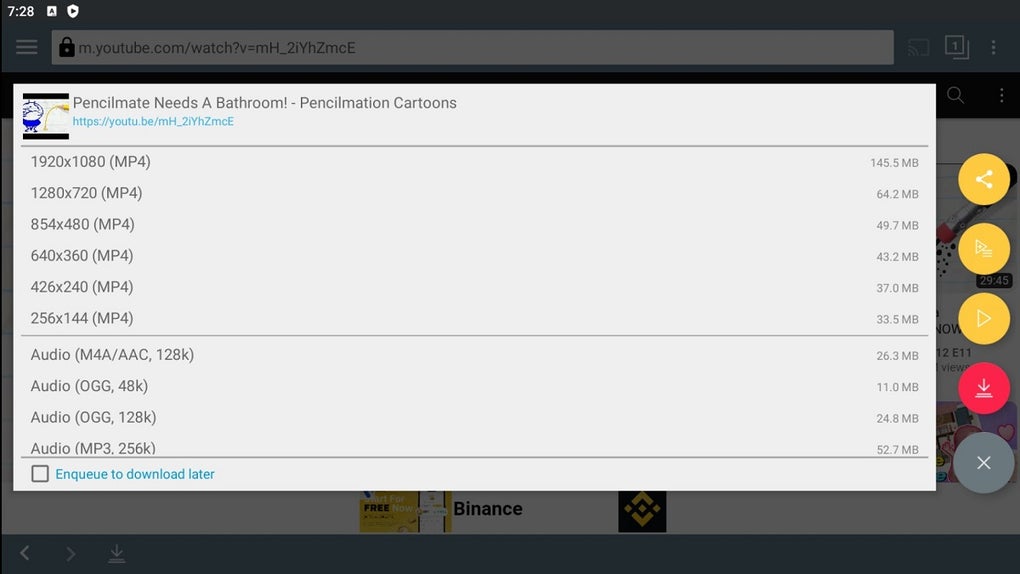
Target users include casual viewers, students, content creators, and travelers who require access to high-quality videos without incurring data charges. The app supports a range of video formats and quality levels, allowing users to choose between MP4, WEBM, and audio-only formats such as MP3, M4A, AAC, and OGG. While the developer did not provide additional details about the company background, the app’s functionality suggests a focus on media accessibility and user control. Real-world use cases include downloading educational content, music videos, or long-form videos for travel or study purposes.
Key Features & Capabilities
- YouTube Video Downloading – Enables direct saving of YouTube videos to internal storage or SD cards, supporting various quality settings including high-resolution options.
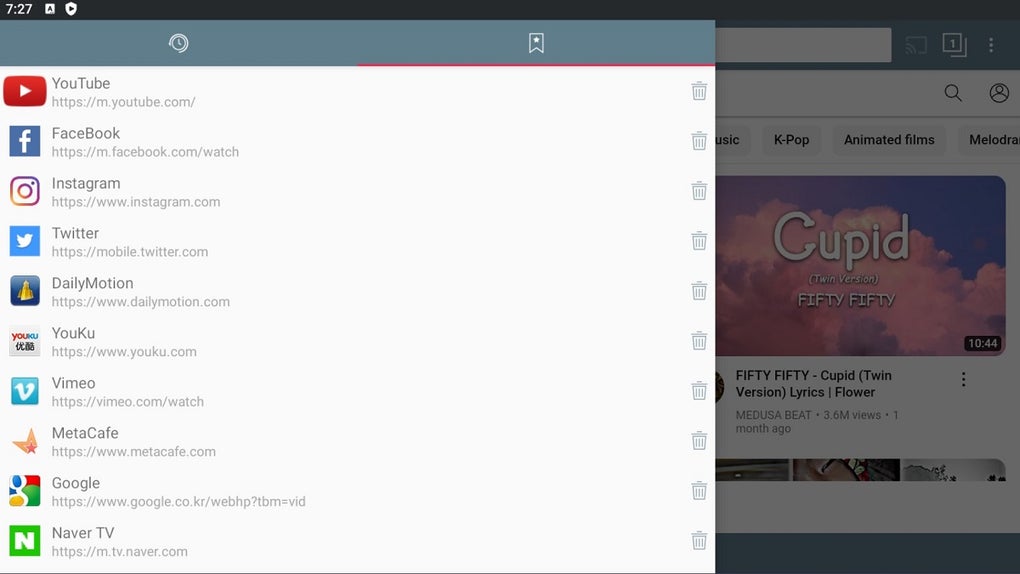
- Multi-Platform Support – Extends beyond YouTube to include content from platforms like Twitter and Facebook, though occasional delays or glitches may occur.
- Flexible Output Options – Offers multiple formats including MP4, WEBM, M4A, AAC, OGG, and MP3 (with external converter required).
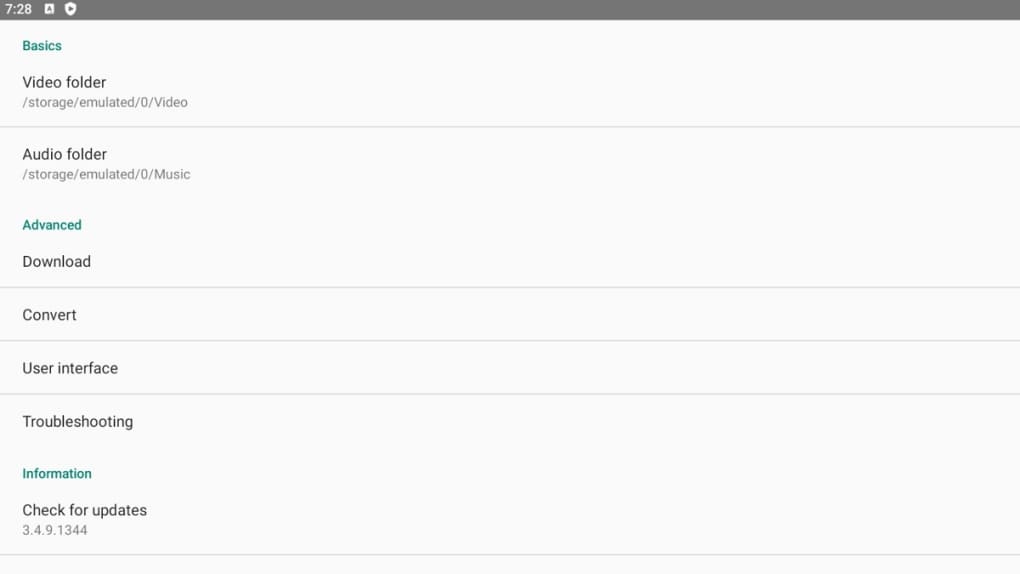
- Storage Location Control – Allows users to designate internal memory or SD card as the download destination for better file management.
- Audio-Only Extraction – Provides the ability to extract audio from videos, useful for creating music libraries or podcasts.
- Offline Playback – Supports local playback through the built-in player with basic controls, ideal for use without internet access.
These features empower users to manage their media library efficiently, especially when WiFi is unavailable or data plans are restricted. The ability to download videos in advance ensures uninterrupted viewing and helps conserve mobile data. The app’s interface is designed for simplicity, allowing users to initiate downloads with a single tap, though performance may degrade under heavy load.
User Interface, Workflow & Performance
TubeMate features a straightforward interface that prioritizes ease of use, with minimal navigation complexity. The main screen displays a search bar and playback controls, enabling users to input video URLs or browse content directly. Workflow efficiency is enhanced by quick access to download settings, format selection, and storage preferences. However, the app may experience instability when multiple downloads are initiated simultaneously, leading to crashes or freezes. The developer did not specify resource usage details, but general software behavior suggests that heavy downloads may increase CPU and RAM usage.
Performance observations are based on general software behavior patterns. Users are advised to limit concurrent downloads to two or fewer to maintain stability. The built-in player supports basic playback functions such as play, pause, and seek, though advanced features like subtitles or playback speed adjustments are not mentioned. Battery consumption is reduced compared to continuous streaming, but prolonged use during downloads may still impact device performance. Overall, the app maintains acceptable responsiveness under normal conditions, though occasional lag or unresponsiveness may occur during high-load scenarios.
Compatibility & System Requirements
TubeMate APK is designed for Android devices and is compatible with a range of Android versions. The app has a file size of 15.4 MB, indicating a lightweight footprint. The developer did not specify exact system requirements, including minimum CPU, RAM, or Android version. Compatibility information was partially provided, with the app being available for Android OS only.
Installation requires enabling “unknown sources” in device settings, which is a standard requirement for APK installations. On Android Oreo, this setting is global, while newer versions prompt for permission during execution. Users should ensure their device meets basic Android compatibility standards to run the app successfully. No specific hardware requirements were listed, but typical Android devices should support the application.
Pros and Cons
Pros
- Free to download and use with no in-app purchases
- Supports offline viewing and data-saving benefits
- Offers high-quality video and audio download options
- Multi-platform compatibility beyond YouTube
- Flexible storage location selection (internal memory or SD card)
- Simple interface with minimal learning curve
Cons
- Requires APK installation from external sources
- May crash or freeze during multiple simultaneous downloads
- Occasional delays or glitches on platforms like Twitter
- MP3 audio export requires a separate converter
- No official presence on Google Play Store
- Performance may vary based on device and network conditions
FAQ Section
Is TubeMate APK safe to install on Android?
TubeMate is distributed via external sources, so users should download it from trusted websites. While the app itself does not contain known malware, installing APKs from unknown sources carries inherent risks. Always verify the source and scan the file with a trusted antivirus tool before installation.
Can I use TubeMate without Wi-Fi?
Yes, once videos are downloaded, they can be played entirely offline. This makes TubeMate ideal for use in airplane mode, remote areas, or during travel where internet access is limited or unavailable.
Does TubeMate support audio-only downloads?
Yes, TubeMate allows users to extract audio from videos in formats such as M4A, AAC, OGG, and MP3. However, MP3 conversion requires a separate tool, as the app does not include built-in MP3 encoding.
How often does TubeMate receive updates?
Updates are released periodically by Devian Studio, though the exact frequency is not specified. Users should check the official source for the latest version to ensure compatibility and security.
Is TubeMate available on the Google Play Store?
No, TubeMate is not available on the Google Play Store. It must be downloaded as an APK file from third-party websites. This is due to policy restrictions related to content downloading and distribution.
Final Thoughts
TubeMate APK stands out as a powerful, free tool for Android users seeking offline access to video content. Its ability to download videos from YouTube and other platforms, combined with flexible format and storage options, makes it a valuable utility for travelers, students, and media enthusiasts. While the need for APK installation and occasional performance issues require user caution, the app delivers strong functionality for its purpose. For those in areas with limited internet access or restricted data plans, TubeMate offers a reliable solution to manage and enjoy video content without ongoing connectivity. The app’s lightweight design and ease of use further enhance its appeal.
Download TubeMate APK now




.png)


